
Bitrix Site Manager11.0.0 - Download
You'll be able to download in few seconds.
Publisher Description
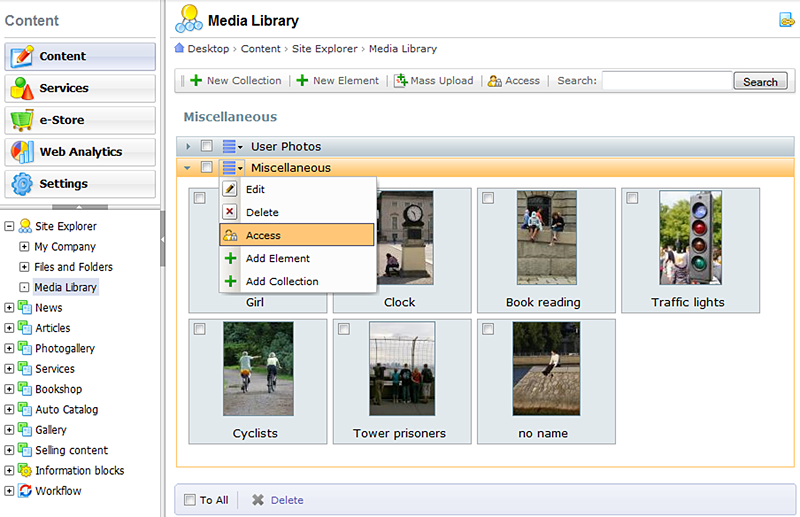
Bitrix Site Manager is a powerful, secure, full-featured CMS that enables creating and managing of corporate websites for small and medium-sized businesses. Based on the best web 2.0 practices, it is suitable for corporate portals, online stores, community and news sites. Bitrix Site Manager includes 34 modules and available in different editions to suit the exact needs of a wide range of industries. Product' s main features are: content management tools, SEO and e-marketing tools, e-commerce features, BitrixMobile, PRO+PRO security framework, Web Cluster, Cloud Storage supports, Project Quality Control tool, Automatic Time Zones, Web-It! Notes, advertising, statistics and analytics, performance monitoring, blogs, photogallery, training, social networking, localization and much more...
About Bitrix Site Manager
This Site Administration program is available in English, Bulgarian, French, German, Persian, Polish, Russian, Spanish, Thai, Turkish, Vietnamese. It was last updated on 02 November, 2026. Bitrix Site Manager is compatible with the following operating systems: Linux, Other, Unix, Windows.
The company that develops Bitrix Site Manager is Bitrix Inc.. The latest version released by its developer is 11.0.0.
The download we have available for Bitrix Site Manager has a file size of 73.4 MB. Just click the green Download button above to start the downloading process. The program is listed on our website since 2011-10-21 and was downloaded 0 times. We have already checked if the download link is safe, however for your own protection we recommend that you scan the downloaded software with your antivirus. Your antivirus may detect the Bitrix Site Manager as malware if the download link is broken.
How to install Bitrix Site Manager on your Windows device:
- Click on the Download button on our website. This will start the download from the website of the developer.
- Once the Bitrix Site Manager is downloaded click on it to start the setup process (assuming you are on a desktop computer).
- When the installation is finished you should be able to see and run the program.
Program Details
General
System requirements
Download information
Pricing
Version History
version 11.0.0
posted on 2011-10-21
Bitrix Cloud Storage
Geo-distributed Web Cluster
Project Quality Control
Secure Authentication
Social Search
Time Zones
Admin Dashboard
Photo Gallery improvements
Short links support
Support of Schema.org microformats
Auto-saving for web forms
version 11.0.0
posted on 2011-10-21
Bitrix Cloud Storage
Geo-distributed Web Cluster
Project Quality Control
Secure Authentication
Social Search
Time Zones
Admin Dashboard
Photo Gallery improvements
Short links support
Support of Schema.org microformats
Auto-saving for web forms
version 7.0
posted on 2008-06-30
1) Windows-style User Interface
2) Start button for quick access
3) Native UTF-8 support
4) New product editions supporting Oracle and MSSQL server
5) HTML Cache technology
6) WYSIWYG editor is speeded up
7) Wizards for creating and editing pages
8) In-place content management
Disclaimer
External Download
We do not host Bitrix Site Manager on our servers. We did not scan it for viruses, adware, spyware or other type of malware. This app is hosted by the software publisher and passed their terms and conditions to be listed there. We recommend caution when installing it.
The external download link for Bitrix Site Manager is provided to you by apps112.com without any warranties, representations or guarantees of any kind, so access it at your own risk.
If you have questions regarding this particular app contact the publisher directly. For questions about the functionalities of apps112.com contact us.
